

Campaigns is an add-on. A campaign is a list of leads you work through, one after another, with a progress bar that shows how far you have got.
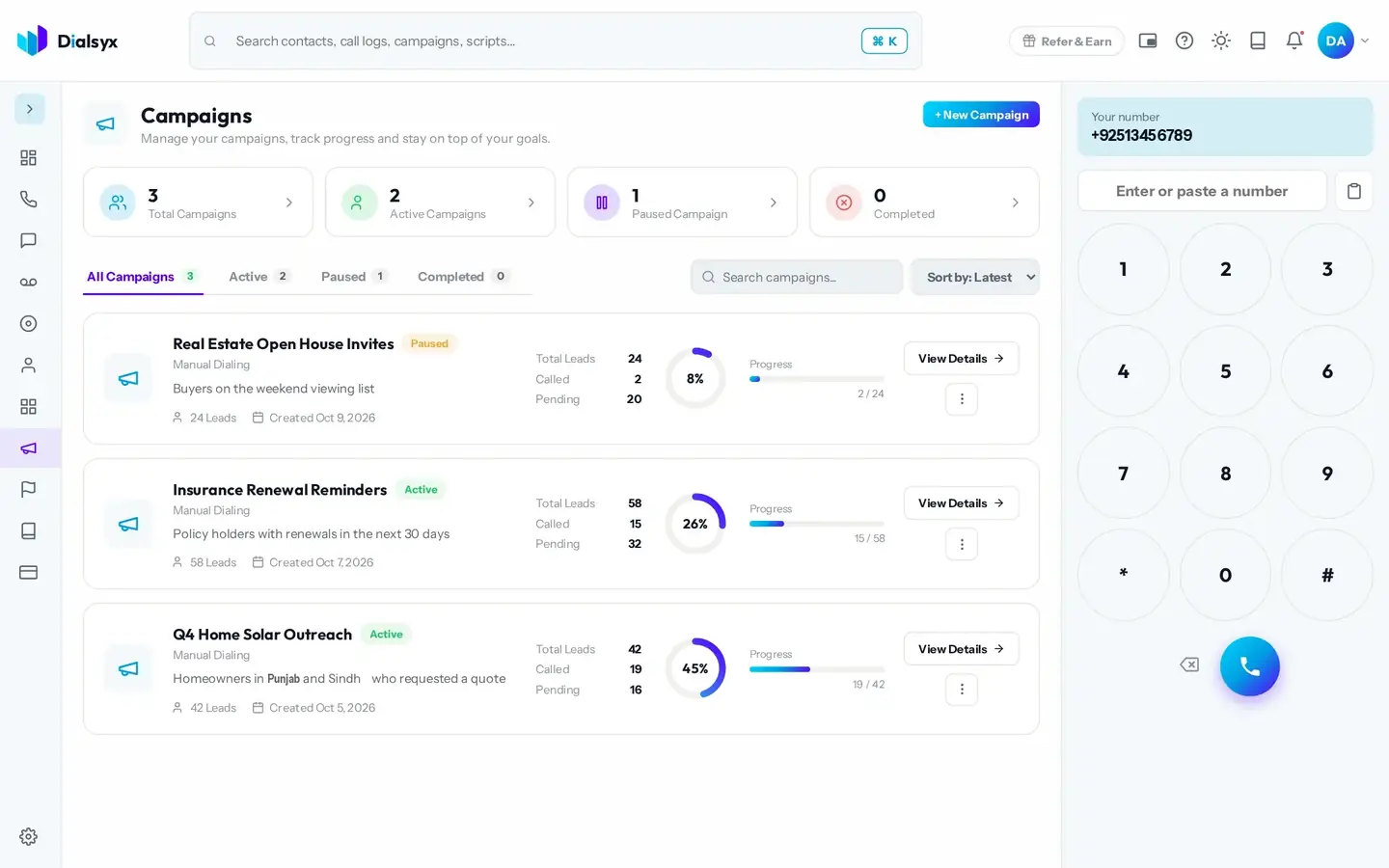
- Create a campaign and give it a name.
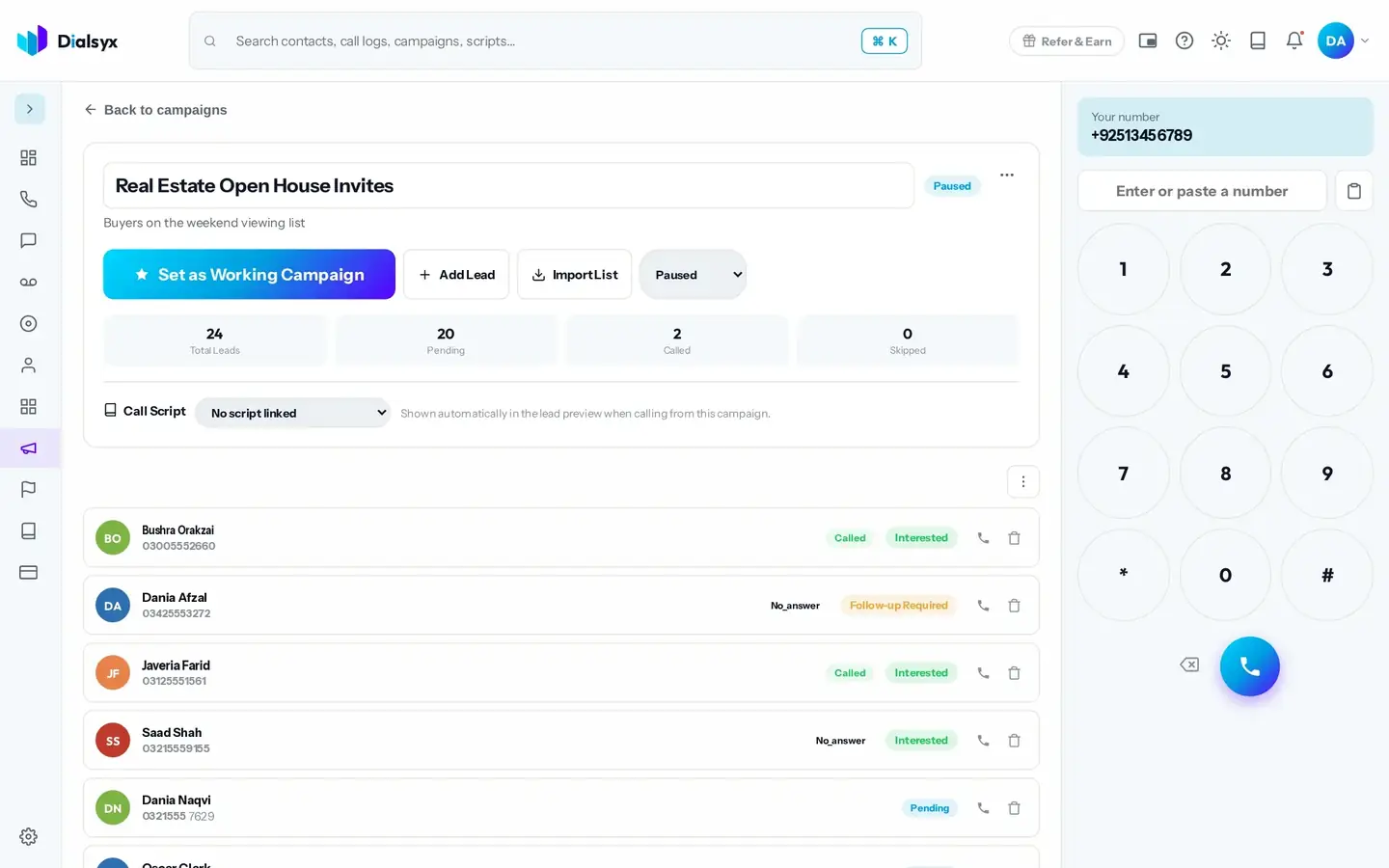
- Add leads one by one, paste rows, or import a CSV or Excel list.
- Choose a script to link to the campaign, if you like.
- Press Set as Working Campaign and start calling.
Preview dialing and auto-dial
With preview dialing, you see each lead and choose to call. With auto-dial, the dialer moves to the next lead after each call. A person always handles every call.
Good to know
Auto-dial only moves you to the next lead. Spam, robocalls and mass automated calls are never allowed.
Need help?Message us on WhatsApp +92 318 5231270, 9 AM to 5 PM Pakistan time, or email support@dialsyx.com.pk.